Session Detail
Everything about a single session — versions, comments, shares, attachments, and activity.
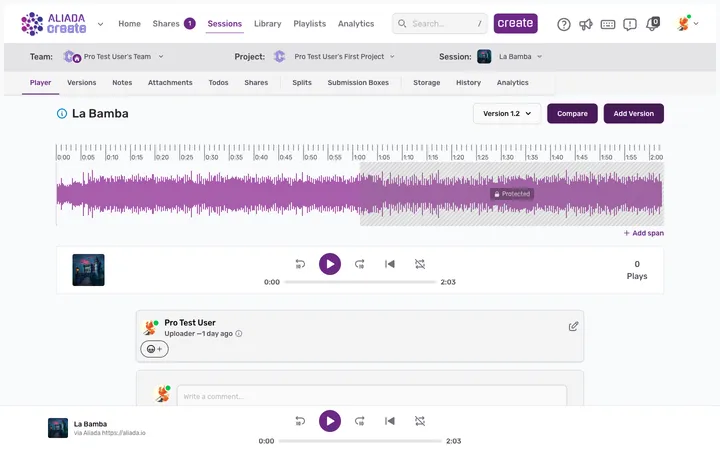
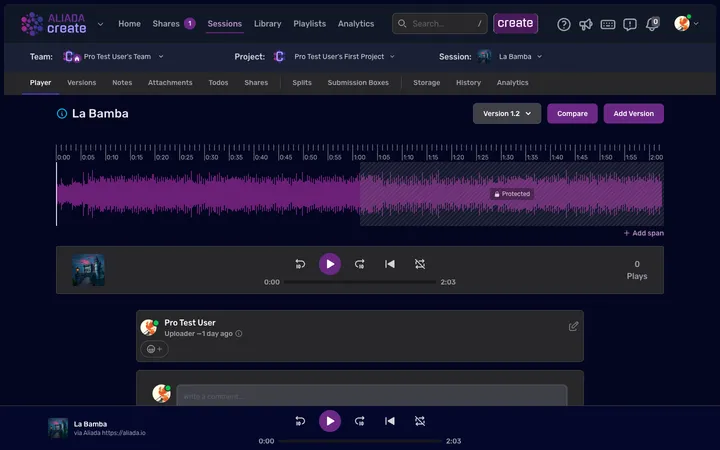
When you open a session, you land on its detail page. Everything about that piece of work lives here.
The player area
The Player tab opens by default. At the top you’ll see the waveform and player controls — hit space to play, click anywhere on the waveform to seek. The version selector, Compare, and Add Version sit above the waveform, and comments live directly below the player.
Activity tabs
A row of tabs below the selector lets you switch between:
- Player — the waveform, playback, spans, and comments.
- Versions — every upload, from v1.0 up to the latest.
- Notes — longer-form notes attached to the session.
- Attachments — lyrics, stems, PDFs, and other files.
- Todos — tasks tied to this session, with status and assignees.
- Shares — who has access and what links are active.
- Splits — royalty split percentages for contributors.
- Submission Boxes — collect uploads from others into this session.
- Storage — how much space this session’s files use.
- History — an audit log of actions taken on this session.
- Analytics — play counts, listener locations, and share activity.
Session settings
To rename a session, move it to a different project, or delete it, open the create button in the top navigation and choose Manage Session. That opens the session’s settings, where those options live. Deleting a session removes all of its versions and can’t be undone.